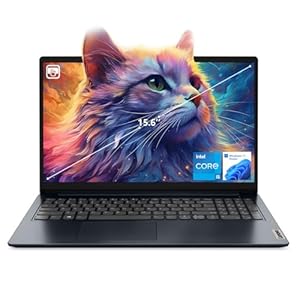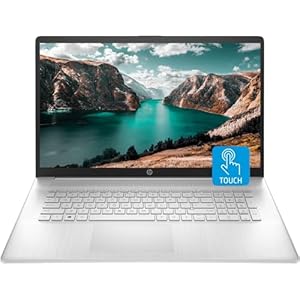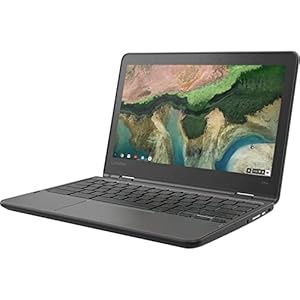

If you’re diving into the world of video editing, selecting the right laptop can significantly impact your workflow and the quality of your final projects. Imagine having a device that effortlessly handles your editing software, accelerates rendering times, and provides a visually stunning canvas for your creations. The ideal laptop for video editing is not just about specifications; it’s about the seamless harmony between hardware and software that elevates your editing process to new heights. So, which laptops truly stand out in this competitive landscape?
Key Factors to Consider
When selecting a laptop for video editing, prioritize processing power and storage capacity to ensure smooth workflow. The efficiency of your editing process heavily relies on the laptop’s ability to handle the demands of editing software and large file sizes. Opt for a laptop with a powerful processor, such as an Intel Core i7 or AMD Ryzen 7, to speed up rendering times and overall performance. Additionally, having ample storage space is crucial for storing raw footage, project files, and exported videos without experiencing slowdowns or running out of space.
Another essential factor to consider is the display quality of the laptop. A high-resolution screen with accurate color reproduction is vital for accurately editing and color grading your videos. Look for laptops with a minimum of a Full HD (1920×1080) display, but ideally, opt for a 4K display for enhanced clarity and detail.
Lastly, consider the portability of the laptop. Video editing often requires working on-the-go or in different locations, so a lightweight and compact design can make a significant difference in your overall editing experience. Prioritize laptops that offer a balance between performance and portability to meet your video editing needs effectively.
Top Performance Features
For optimal video editing capabilities, prioritize laptops equipped with high-performance processors and ample storage capacity. A laptop with a powerful processor, such as an Intel Core i7 or AMD Ryzen 7, will ensure smooth editing performance, faster rendering times, and seamless multitasking. These processors are designed to handle the demands of video editing software, enabling you to work on projects efficiently.
In addition to a high-performance processor, sufficient RAM is crucial for video editing tasks. Aim for a laptop with at least 16GB of RAM to ensure that editing software runs smoothly and without lags. This will also allow you to work on multiple layers and effects without compromising performance.
When it comes to storage, consider laptops with fast SSDs or a combination of SSD and HDD storage. SSDs offer quicker data access speeds, resulting in faster boot times and file transfers. Having ample storage space is essential for storing large video files and project assets without running out of space. Investing in a laptop with these top performance features will significantly enhance your video editing experience.
Storage and Memory Requirements
To optimize your video editing workflow, ensure your laptop meets the necessary storage and memory requirements. Video editing demands a significant amount of storage space to store large video files, project files, and editing software. Look for laptops with SSDs (Solid State Drives) for faster read/write speeds, which will help in quick access to your files and smoother editing processes. A minimum of 512GB of storage is recommended, but if your budget allows, opt for 1TB or more to accommodate your growing library of media files.
In addition to storage, having ample memory (RAM) is crucial for seamless video editing. A minimum of 16GB RAM is recommended for handling multiple editing software, effects, and high-resolution videos. More RAM allows for smoother multitasking and quicker rendering times. Some laptops even offer upgradability, so you can increase the RAM in the future if needed. Balancing both storage and memory will ensure your laptop can handle the demands of video editing without lagging or crashing.
Display Quality and Resolution
Quality display and resolution are crucial aspects to consider when selecting a laptop for video editing. A high-resolution display, such as a 4K screen, provides sharp images and precise color representation, allowing you to edit videos with accuracy. Look for laptops with IPS panels for better color accuracy and wide viewing angles. A larger screen size, like 15 or 17 inches, can enhance your editing experience by providing more workspace for timelines and tools.
Ensure that the laptop’s display supports a wide color gamut, such as Adobe RGB or DCI-P3, to accurately represent colors in your videos. Additionally, consider a laptop with a matte display to reduce glare and reflections, which can affect your perception of colors and details while editing. Calibration tools can also help you fine-tune the display for accurate color reproduction. Prioritize laptops with high pixel density for crisp visuals and smooth text rendering, which are essential for precise video editing tasks.
Trending Products